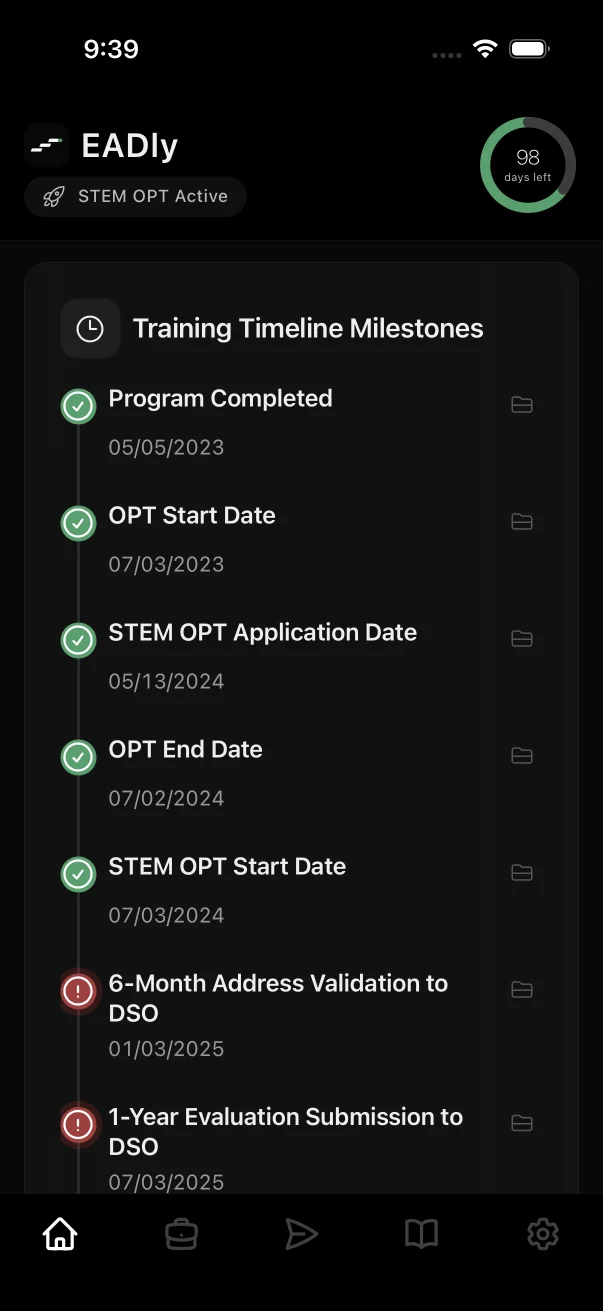
Two ways to start
- Direct H-1B
- Already working on H-1B? Start with your current petition, employer and admission records. No invented F-1 history is required, and you can add earlier records later.
- From F-1 OPT
- Moving from OPT or STEM OPT? Keep the student and training history, cap registration, petition and change-of-status facts connected in one chronology.
Records that deserve their own place
- Cap registrations
- Each registration attempt is saved separately by season, so a later selection does not overwrite an earlier result.
- Petitions
- Receipt, approval and validity dates for each petition period, including extensions, amendments and new employers.
- I-797 notices
- An I-797A approval notice issued with a change or extension of status in the United States can include an I-94. An I-797B is used for petitions where the worker applies for a visa abroad. EADly keeps them apart.
- I-94 and visa
- The I-94 attached to an approval, a later CBP I-94 after travel and the visa in your passport each tell a different part of the story.
- Employment
- Employer, worksite and start and end dates for each role, with documents in the encrypted Vault.
Cap-gap, for F-1 students
If you are an F-1 student with a timely filed, cap-subject H-1B petition requesting a change of status, cap-gap rules may extend your F-1 status and, in some cases, your OPT employment authorization while the petition is pending. The conditions and end date are set by DHS rules and reflected in your school's records.
EADly shows cap-gap information alongside your saved F-1 and petition facts. It does not decide whether cap-gap applies to you; confirm with your DSO.
When employment ends
Regulations at 8 CFR 214.1(l) describe a discretionary grace period of up to 60 consecutive days, or until the end of the authorized validity period if shorter, for certain workers including H-1B. EADly records the employment-end date and shows review dates from the facts you save.
EADly cannot tell you which options apply after a job ends or whether you are maintaining status. Speak with a qualified immigration attorney promptly.
Official tools, one tap away
EADly saves USCIS receipt numbers on your device and opens the official USCIS Case Status service. Quick Tools also open official H-1B employer data and Department of Labor wage information, so you are always reading the source.
Common questions
Can I use EADly if I never had F-1 status?
Yes. You can start directly with a current H-1B record. EADly does not require F-1 history, and you can add earlier records later if you want.
Can EADly keep more than one H-1B petition?
Yes. Cap registrations and petition periods, including extensions and new employers, are saved as separate records so your history stays readable.
Does EADly check my USCIS case status?
EADly saves your receipt numbers locally and opens the official USCIS Case Status service. It does not retrieve or monitor case status for you.
What is the difference between an I-797A and an I-797B?
USCIS describes the I-797A as an approval notice that can include a replacement I-94 for a change or extension of status in the United States, and the I-797B as an approval notice for a petition where the worker will apply for a visa abroad. EADly keeps them separate.
Does EADly give H-1B legal advice?
No. EADly organizes your records and links to official sources. It is not a law firm. Consult a qualified immigration attorney about your situation.
Go to the official source for requirements
Start with USCIS pages on H-1B specialty occupations, the H-1B electronic registration process, Form I-797 types and the cap-gap extension, Study in the States on H-1B status and the cap-gap extension, and the regulation at 8 CFR 214.1.
This page describes record organization. It is not a complete eligibility, filing or compliance checklist. Last updated September 25, 2026.