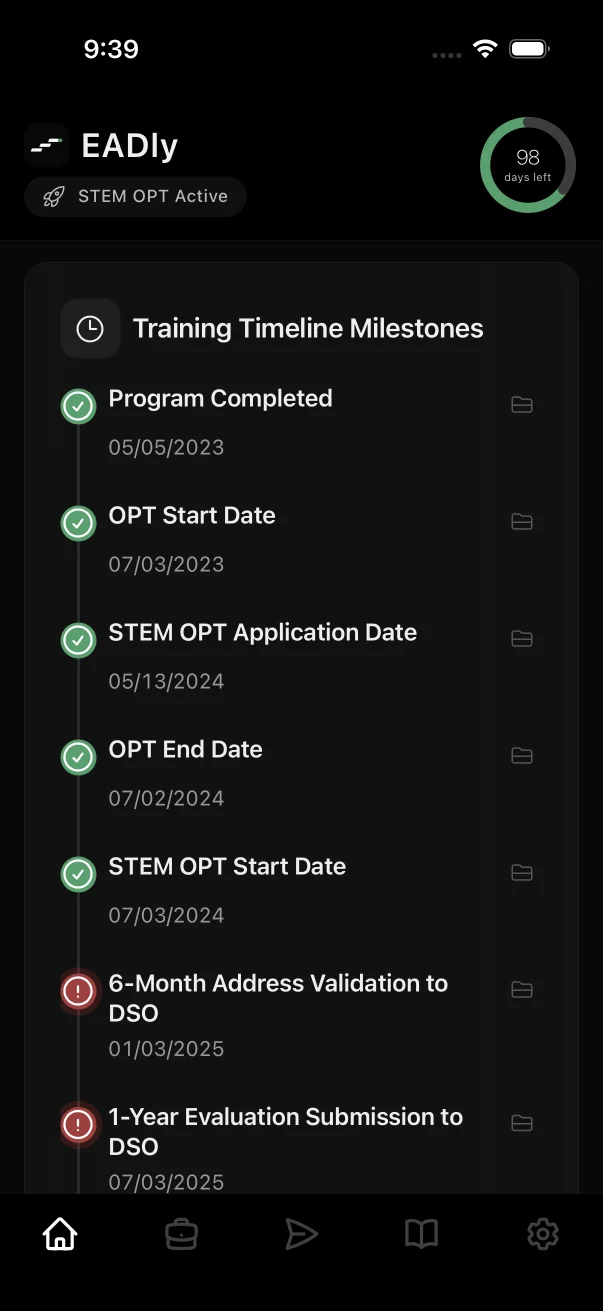
Keep the source behind each date
An employment start date, the dates on an EAD and an I-94 admission record describe different parts of your history. EADly keeps those records separate and brings them into one chronology.
- Application and EAD
- Record your application milestones and the dates printed on your employment authorization document. Keep the source document available when reviewing an entry.
- Employment history
- Keep employer details and start and end dates together. Review missing dates before relying on a calculated unemployment-day count.
- STEM OPT reporting
- Organize I-983, evaluation and reporting facts alongside evidence of what you submitted. Keep your school's instructions and confirmations with your records.
- Travel and admission
- Preserve travel and I-94 facts separately from your employment authorization dates so you can review the underlying documents.
A practical record-keeping routine
- Start with your documents. Enter dates from the relevant record rather than from memory. If a date is uncertain, resolve it with the source before treating it as settled.
- Update the timeline when something changes. Add the facts of a new job, an employment end date or a new document while they are easy to verify.
- Keep proof of reporting. A saved task and a completed submission are different things. Preserve the confirmation from your school or the relevant official service.
- Make a backup. EADly supports password-protected manual backup files. Store the file safely and keep its password available for a future restore.
Saving a record or completing a task in EADly does not submit a report to your DSO, update SEVIS or the SEVP Portal, or file anything with USCIS.
Understand what the tracker can tell you
EADly organizes the facts you enter and calculates supported dates and counters from them. Missing or incorrect employment history can change the result. A counter does not determine whether work qualifies or whether you are maintaining status.
Use your designated school official (DSO), official guidance and a qualified immigration attorney for questions about your circumstances. EADly is an organizational tool, not a government service or legal adviser.
Common questions
Can I track OPT unemployment days?
EADly includes OPT/STEM OPT unemployment-day tracking based on the dates and employment facts you save. Review those inputs and any gaps with your DSO; the app cannot decide whether an activity qualifies as employment. See how EADly records unemployment days.
Does EADly replace my school's reporting process?
No. Use the reporting process your school and the relevant official service require. EADly helps organize your own record of dates, tasks and evidence.
Do I need an account?
No account is required for the local core. Your records are local-first. Manual encrypted backup uses a separate password; optional automatic backup has its own setup.
What stays available without Plus?
Core immigration facts, essential alerts, official sources, editing, deletion and manual encrypted backup stay available. Plus expands organizational capacity and adds features such as automatic backup and history export. See the feature overview for the product boundary.
Go to the official source for requirements
For the rules and reporting process, start with DHS STEM OPT reporting guidance, the DHS Form I-983 overview and USCIS guidance on OPT for F-1 students and the STEM OPT extension, then confirm your school's process with your DSO.
This page describes record organization. It is not a complete eligibility, filing or compliance checklist. Last updated September 25, 2026.