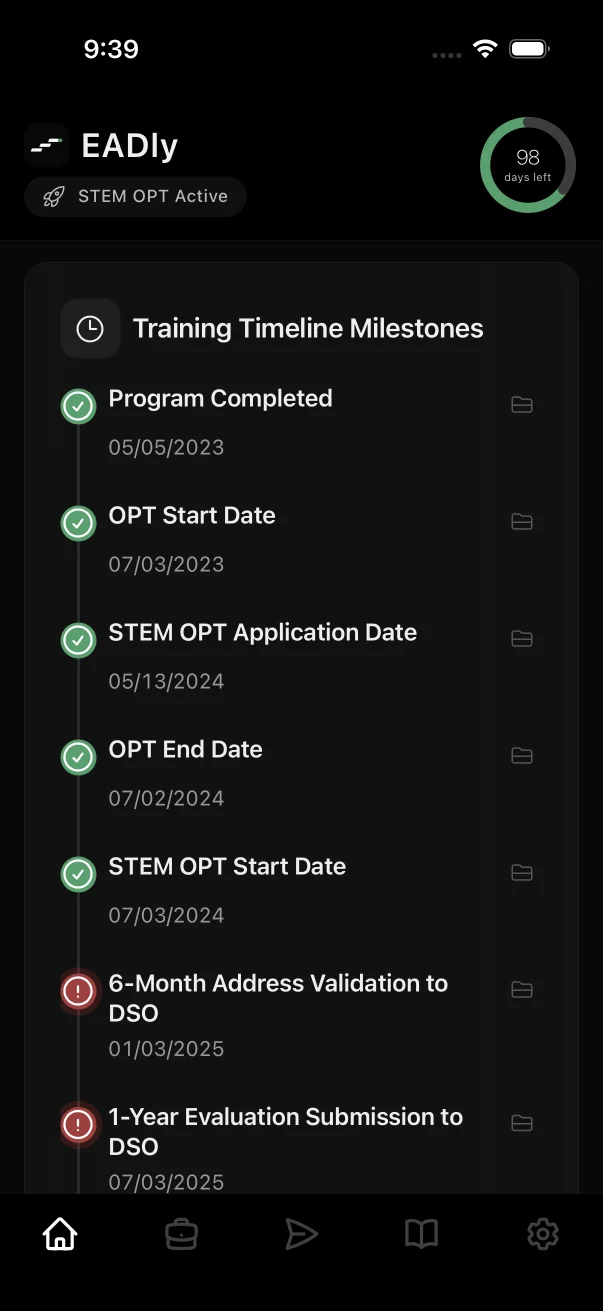
The limits official guidance describes
- Post-completion OPT: official DHS guidance describes an aggregate limit of 90 days of unemployment during the initial period of post-completion OPT.
- STEM OPT extension: the extension adds 60 days, for an aggregate of 150 days across post-completion OPT and the STEM OPT extension combined.
- Aggregate, not per gap: the limits describe total days across the authorization, so separate gaps between jobs add together.
Rules and their interpretation can change. Confirm the current requirements with the official sources below and your designated school official (DSO).
How EADly counts unemployment days
The counter is a calculation over the facts you save. It is designed to be explainable, not to replace your school's record.
- Starting point
- Counting begins on the OPT EAD start date you save. Days before that date are not part of EADly's count.
- Each day
- EADly counts every calendar day, including weekends, that no saved employment record covers.
- STEM OPT
- When a STEM OPT period is saved, the limit shown moves to the 150-day aggregate and days already counted on post-completion OPT carry forward.
- Reminders
- Local notifications can alert you ahead of future unemployment checkpoints. Device delivery is not guaranteed, so check the app as well.
Why a count can be wrong
Most counting errors come from missing or mistyped facts rather than arithmetic. Before relying on a number, check for:
- A job that was never saved, or a new role added without its start date.
- A missing end date on a job that ended, or an end date left open on a job that continues.
- An EAD start date copied from the application rather than from the card itself.
- Dates entered from memory instead of an offer letter, pay record or reporting confirmation.
Saving an employment record in EADly does not report it to your DSO, update SEVIS or the SEVP Portal, or file anything with USCIS. Use the reporting process your school and the official service require.
What counts as employment is a separate question
Official guidance describes post-completion OPT employment as generally at least 20 hours per week and related to your degree field, and the STEM OPT extension adds employer, E-Verify and Form I-983 conditions. Whether a particular role, volunteer position or self-employment qualifies depends on those conditions.
EADly records the employment you enter. It does not decide whether work qualifies or whether you are maintaining status. Ask your DSO when a role is unclear.
Common questions
How many unemployment days are allowed on OPT?
Official DHS guidance describes an aggregate limit of 90 days of unemployment during post-completion OPT, and an aggregate of 150 days when a STEM OPT extension is added. Confirm current requirements with official sources and your DSO.
Do weekends count in EADly's unemployment count?
Yes. EADly counts every calendar day, including weekends, that no saved employment record covers. If your DSO describes a different count for your circumstances, follow your DSO.
Does the count reset when STEM OPT starts?
No. Official guidance describes the 150-day STEM OPT figure as an aggregate that includes days used during post-completion OPT. EADly carries the days already counted forward.
When does EADly start counting?
EADly begins counting on the OPT EAD start date you save. Days before that date are not part of its calculation.
Can EADly tell me whether I am still in status?
No. EADly shows a count based on the facts you saved and links to official sources. It cannot determine status, eligibility or whether a job qualifies. Contact your DSO or a qualified immigration attorney about your situation.
Go to the official source for requirements
Start with ICE SEVP guidance on practical training, the Study in the States pages for F-1 OPT and the STEM OPT extension, OPT reporting requirements and the regulation at 8 CFR 214.2. Confirm your school's process with your DSO.
This page describes record organization. It is not a complete eligibility, filing or compliance checklist. Last updated September 25, 2026.